
OneContact1.2.1 - App Store
You'll be able to see results in few seconds.
Publisher Description
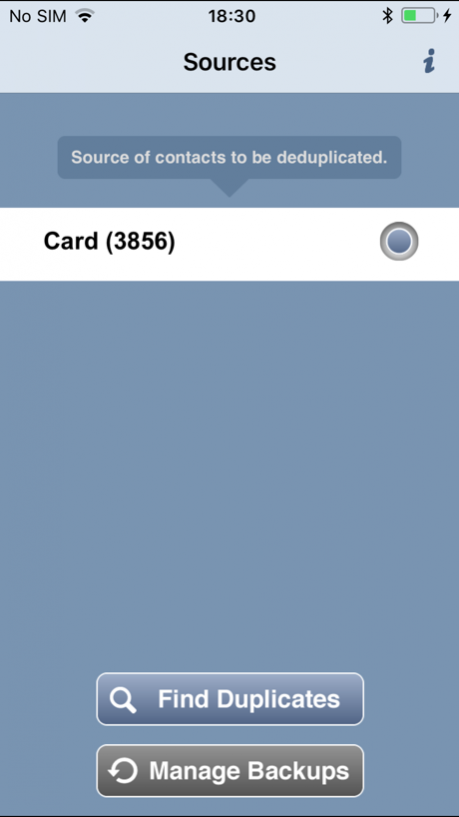

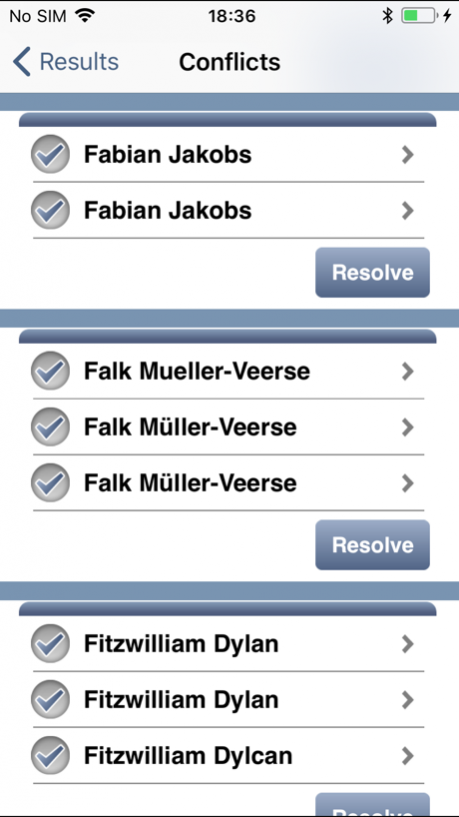

Find and merge duplicated contacts in the address book of your iOS device!
OneContact performs a fast, easy, and automated scan of your address book, looking for duplicated contacts. It rapidly executes a search and returns potential matches, all of which can be easily merged later on. Backups are also easy with OneContact. You can create a backup of your address book and restore original contacts if needed.
While other duplicate removal apps can only find exact matches, OneContact is also able to detect fuzzy matches, such as “Frederick Jackson” and “Jakson Fredrick”. OneContact uses cutting-edge algorithms, such as Jaro-Winkler distance, Sorted Neighborhood, and Floyd-Warshall algorithms. These algorithms were fine-tuned by the experienced Information Systems Group at Hasso Plattner Institute, Potsdam.
Features:
• Thorough elimination of all duplicates: finds all duplicates, using cutting-edge algorithms
• Efficiency: rapid scanning of your entire address book (3,000 contacts in 3 minutes)
• Simple merging: inspect fuzzy matches and select the attributes you want to be merged into a single contact
• Ease of use: no configuration needed
• Loss protection: backup and restore your address book
• Offline and local: no data is uploaded to any server and your contacts stay private on your device
Jan 11, 2018 Version 1.2.1
This app has been updated by Apple to display the Apple Watch app icon.
Bug fixes
About OneContact
The company that develops OneContact is CAS Software Kft. The latest version released by its developer is 1.2.1.
To install OneContact on your iOS device, just click the green Continue To App button above to start the installation process. The app is listed on our website since 2018-01-11 and was downloaded 0 times. We have already checked if the download link is safe, however for your own protection we recommend that you scan the downloaded app with your antivirus. Your antivirus may detect the OneContact as malware if the download link is broken.
How to install OneContact on your iOS device:
- Click on the Continue To App button on our website. This will redirect you to the App Store.
- Once the OneContact is shown in the iTunes listing of your iOS device, you can start its download and installation. Tap on the GET button to the right of the app to start downloading it.
- If you are not logged-in the iOS appstore app, you'll be prompted for your your Apple ID and/or password.
- After OneContact is downloaded, you'll see an INSTALL button to the right. Tap on it to start the actual installation of the iOS app.
- Once installation is finished you can tap on the OPEN button to start it. Its icon will also be added to your device home screen.
Program Details
System requirements
Download information
Pricing
Version History
version 1.2.1
posted on 2018-01-11
Jan 11, 2018 Version 1.2.1
This app has been updated by Apple to display the Apple Watch app icon.
Bug fixes
version 1.2.1
posted on 2018-01-11
Jan 11, 2018 Version 1.2.1
Bug fixes
version 1.2.1
posted on 2018-01-11
Jan 11, 2018 Version 1.2.1
This app has been updated by Apple to use the latest Apple signing certificate.
Bug fixes
version 1.1
posted on 2013-02-02
version 1.2.1
posted on 1970-01-01
2018年1月11日 Version 1.2.1
Bug fixes
version 1.2.1
posted on 1970-01-01
11 de ene. de 2018 Version 1.2.1
Bug fixes
Disclaimer
Official App Store Link
We do not host OneContact on our servers. We did not scan it for viruses, adware, spyware or other type of malware. This app is hosted by Apple and passed their terms and conditions to be listed there. We recommend caution when installing it.
The App Store link for OneContact is provided to you by apps112.com without any warranties, representations or guarantees of any kind, so access it at your own risk.
If you have questions regarding this particular app contact the publisher directly. For questions about the functionalities of apps112.com contact us.
